
Choose the apps that pull you in
Select the social, video, or entertainment apps that usually turn a quick check into a long scroll.
Quran First gently keeps selected distracting apps out of reach until you complete a small Quran goal, helping your day open with the Quran before the feed asks for your attention.
The moment
You do not need another lecture about willpower. The hard part is that the first tap is automatic: one notification, one video, one quick check, and the quiet space for Quran disappears.
Quran First protects that fragile first moment. Before the apps open, it brings you back to the Quran goal you already chose.
How it works
Select the social, video, or entertainment apps that usually turn a quick check into a long scroll.
Start with a few minutes, one page, or a routine that fits your day, then let Quran First protect it.
When your goal is complete, Quran First automatically unlocks your selected apps.
App preview
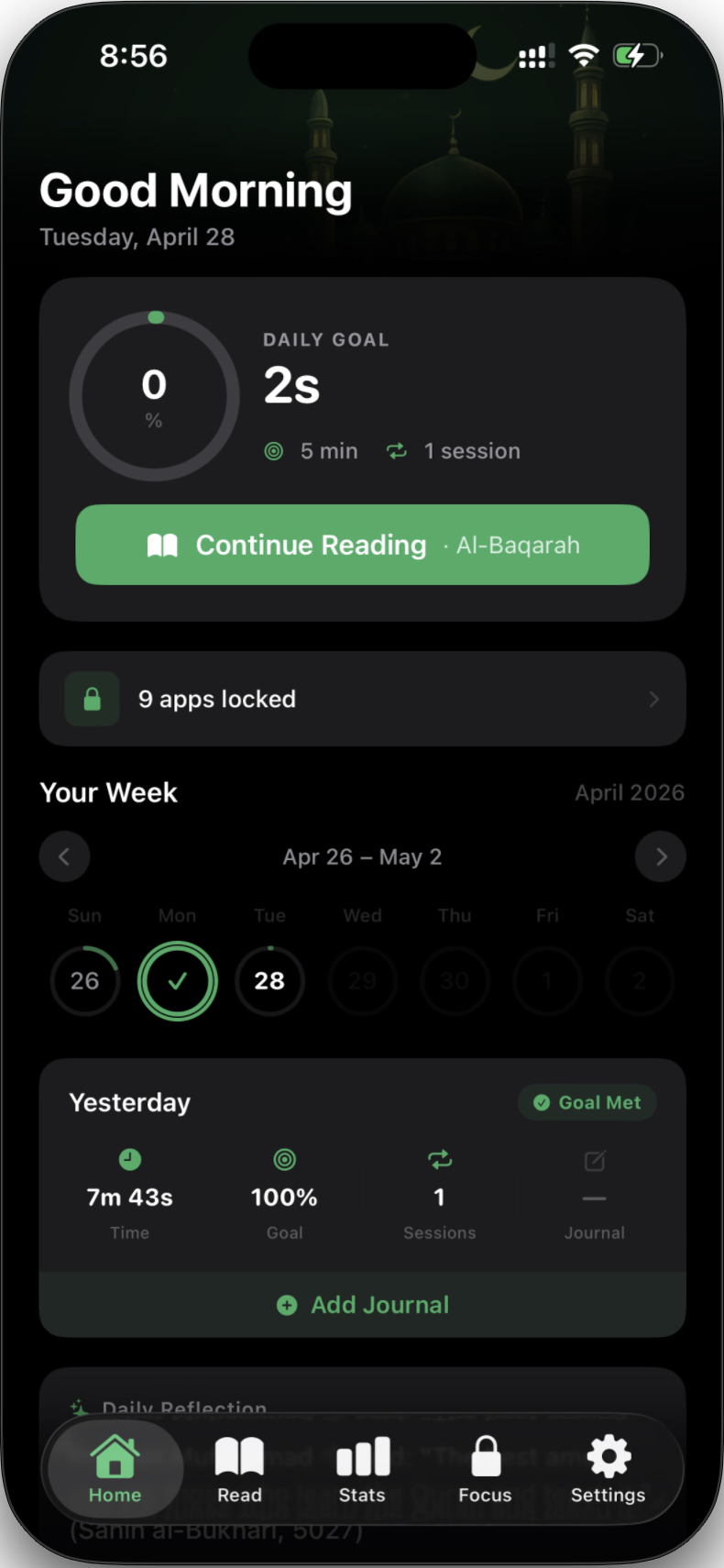
See what is paused, open the Quran goal you chose, reflect on what you read, and return to your apps only after the habit is honored.
Features
Selected apps stay shielded with Apple Screen Time until your reading goal is complete.
Start small without guilt: a few minutes, one page, or a longer session when you have more space.
Protect mornings, weekdays, or any routine you want to keep without making every day feel rigid.
Finish reading and the shield lifts immediately, so the reward feels clear, calm, and earned.
Watch consistency build with weekly progress, sessions, and goal completion history.
Choose one gentle nudge for the moment you are most likely to forget.
Write what stayed with you after reading so the habit feels personal, not just tracked.
Keep meaning close while you build the consistency to return again tomorrow.
Your reading habit is personal. Quran First is designed around on-device privacy.
Why it works
Quran First does not ask you to fight your phone all day. It changes the first step when distraction begins, so reading becomes the path in front of you.
Your selected apps wait long enough for intention to return.
Open the Quran, read the goal you chose, and keep the habit moving.
Your apps unlock automatically, so discipline feels calm and complete.
Real-life moments
Morning: you reach for your phone before your thoughts settle. Quran First keeps the feed quiet until you read.
Before the day startsAfter salah: you want to keep that feeling close, but one app can pull you away. A small goal gives the intention somewhere to go.
After prayerLate night: you are tired, but still scrolling. A gentle block makes the better choice visible without shame.
When willpower is lowGet the app
Install it today, choose the apps that pull you away, and set a Quran goal small enough to begin now.
Use the App Store button below, then let Quran First turn the next urge to scroll into a moment with the Quran.

FAQ
Quran First uses Apple Screen Time permissions so you can choose which apps are shielded. You stay in control of what is paused and when.
The experience is designed with privacy first. Sensitive habit and shielding choices are designed to stay on device wherever possible.
On supported iOS versions, Quran First uses Apple's Screen Time framework to shield the distracting apps you choose until your reading goal is completed.
Yes. The point is to begin. A few protected minutes with the Quran can become the habit you return to tomorrow.
Your selected apps unlock automatically, and your progress is saved so the habit feels finished.
Read first, scroll later
Download Quran First, choose one small goal, and let your phone hold the feed until you have read.